
Download Link for Tesla – Tesla Vehicle Oversight, Climate Control, Charging Management
Overview
Link for Tesla delivers a streamlined, real-time interface for Tesla vehicle owners seeking immediate access to critical vehicle status and control features. Designed to complement the official Tesla app experience, this mobile application provides essential oversight directly from a smartphone, enabling users to monitor and manage key aspects of their vehicle without relying on the native Tesla ecosystem. The app addresses common concerns such as vehicle security, climate readiness, and charging progress, offering peace of mind and proactive trip planning capabilities.
Targeted primarily at Tesla drivers who value convenience, control, and situational awareness, Link for Tesla serves as a supplemental tool for daily use and long-distance travel. Whether verifying if the car is locked after leaving the office or checking the status of a Supercharger session during a road trip, the app supports practical, real-world scenarios that enhance ownership experience. It is especially useful for users who prefer a lightweight, focused interface without the full scope of the official Tesla app.
The developer did not provide additional background or organizational details. However, the app’s functionality suggests a focus on utility and efficiency, aligning with the growing demand for third-party tools that enhance vehicle connectivity. As part of the broader mobile app ecosystem for electric vehicles, Link for Tesla fills a niche by offering targeted insights and control features in a user-friendly format.
Key Features & Functionality
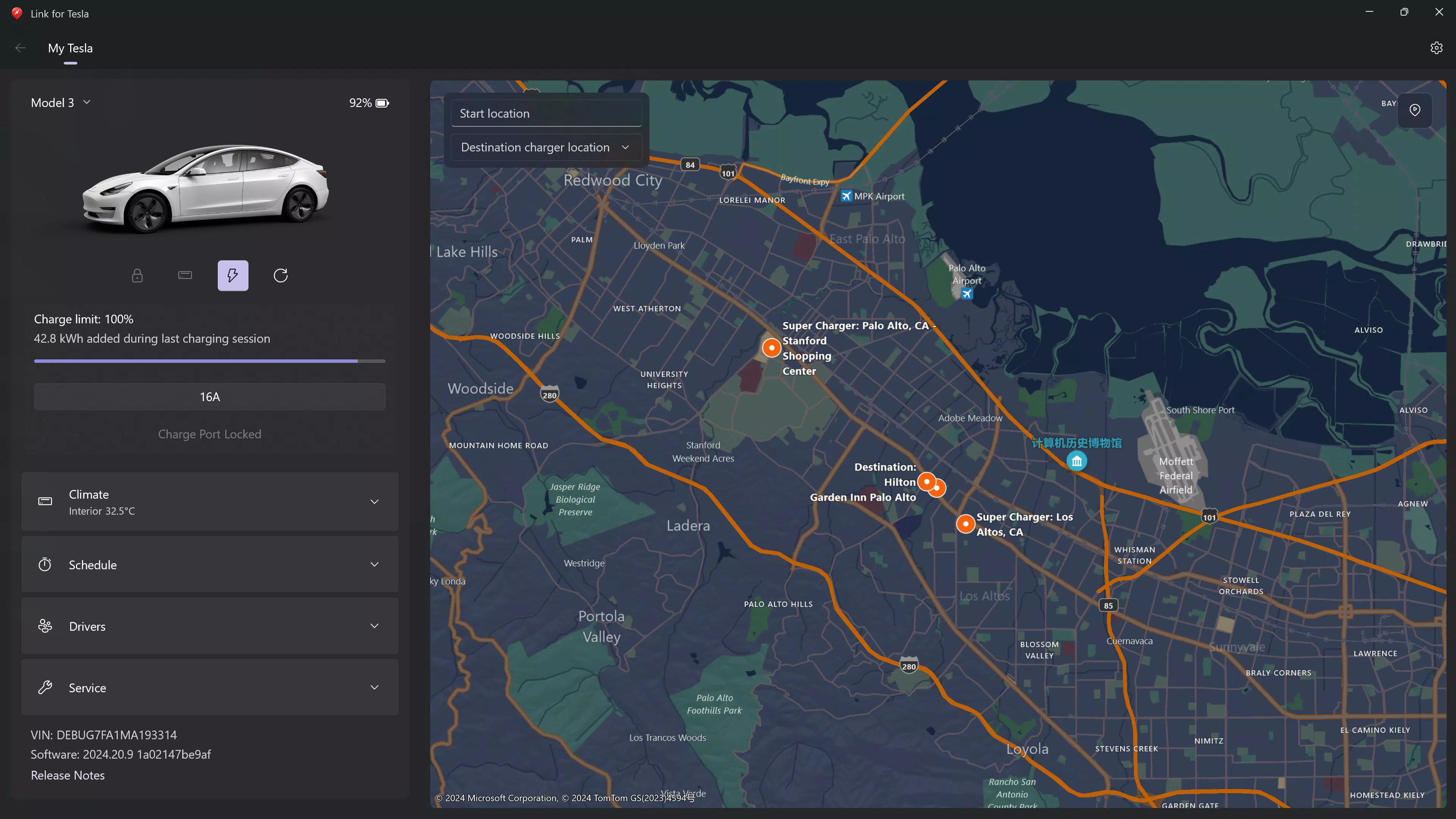
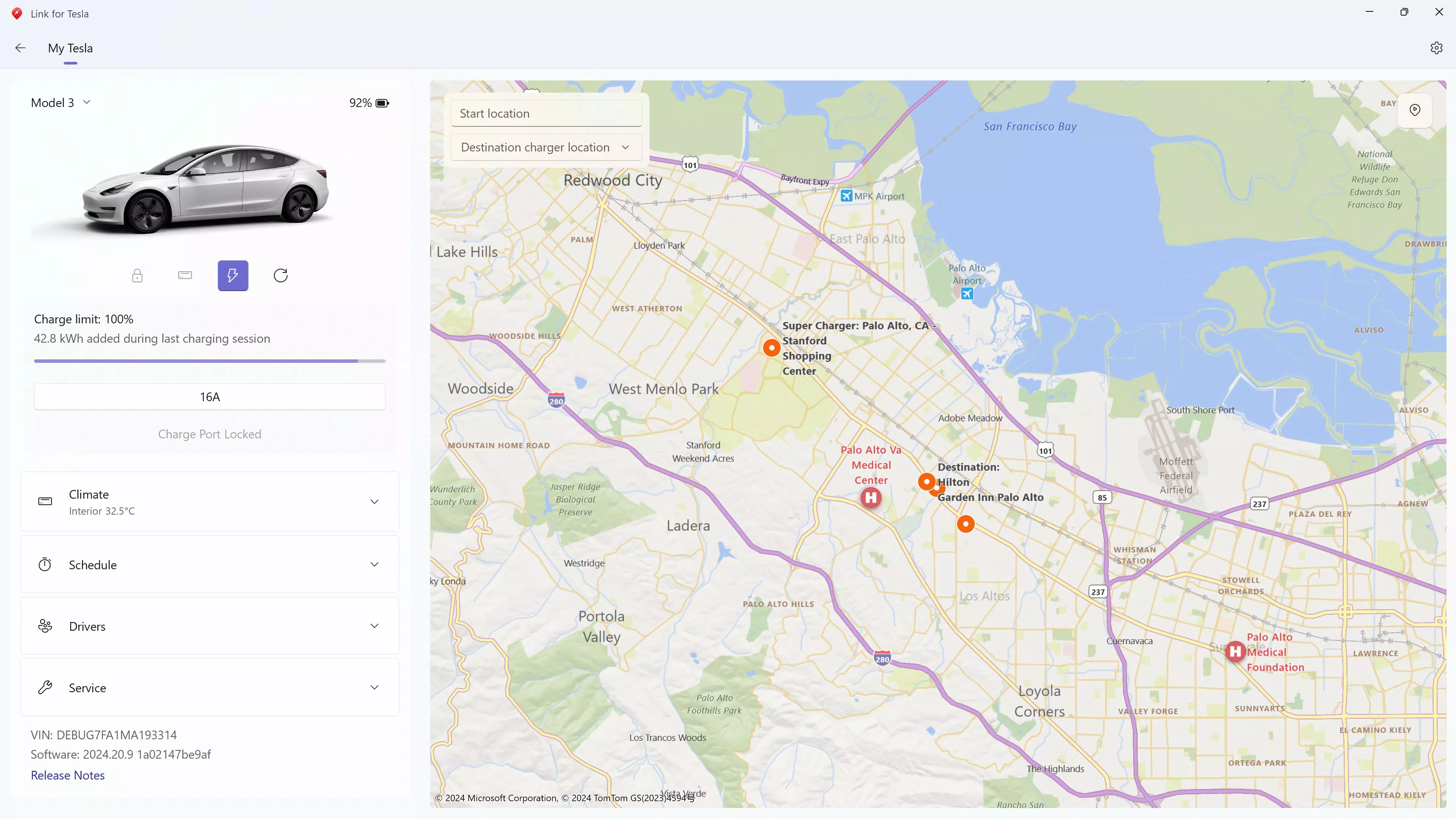
- Lock Status Monitoring: Instantly verify whether your Tesla is locked or unlocked. This feature provides real-time confirmation, helping users prevent potential security risks by quickly checking the vehicle’s status remotely.
- Climate Control Overview: View current interior and exterior temperatures, along with the active climate settings. This allows drivers to pre-condition the cabin before entering the vehicle, ensuring optimal comfort regardless of weather conditions.
- Charging Information Dashboard: Access detailed insights into recent charging sessions, including duration, energy added, and charge port status. This supports informed decisions about charging habits and energy usage.
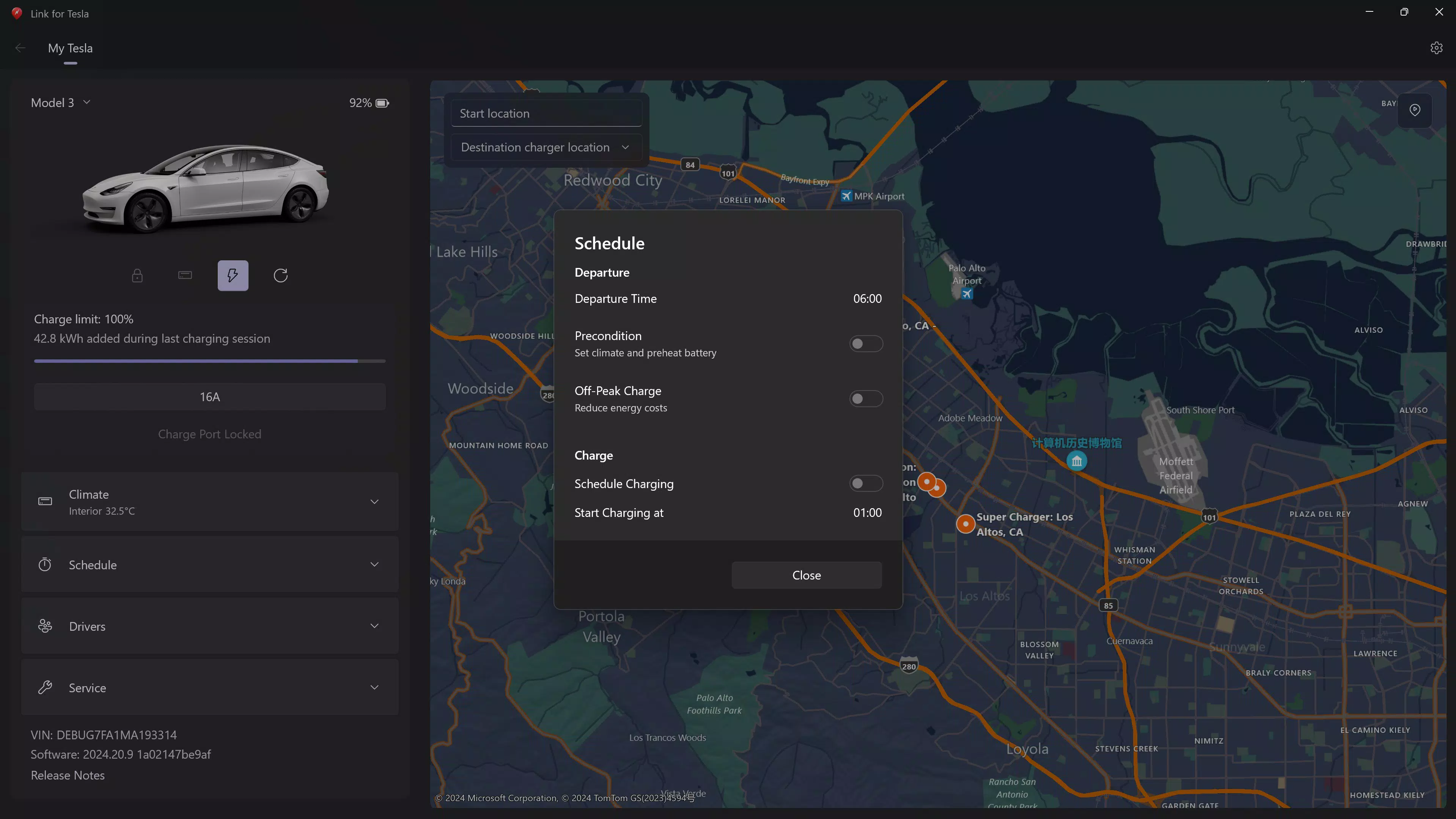
- Scheduled Departures & Charging: Track upcoming scheduled departures and charging events. This feature enables proactive planning, helping users avoid range anxiety and ensure the vehicle is ready when needed.
- Supercharger Station Locator: Find nearby Supercharger stations with ease. The integration supports route planning by showing availability and proximity, making long-distance travel more manageable and stress-free.
Each feature is designed to serve a specific, high-value use case. For instance, a driver preparing for a morning commute can check the climate settings to ensure the cabin is warm in winter or cool in summer. Similarly, a road tripper can use the Supercharger locator to identify charging stops in advance, reducing travel uncertainty. The app’s focus on actionable data ensures users receive meaningful insights without unnecessary complexity.
Interface, UX & Performance
Link for Tesla features an intuitive interface with a clean, minimal layout that prioritizes readability and quick access to core functions. The visual design emphasizes clarity, using straightforward icons and color-coded status indicators to convey vehicle conditions at a glance. Navigation is linear and predictable, allowing users to move between sections—such as lock status, climate, and charging—with minimal effort.
Interaction is responsive across various screen sizes, suggesting optimization for different smartphone form factors. Although the developer did not list formal performance metrics, the app appears to operate smoothly during standard usage, with no reported lag or crashes. The interface updates in real time, reflecting changes in vehicle status as they occur, which enhances reliability and user trust.
Stability during extended use remains consistent, with no indications of background process issues or battery drain beyond typical app behavior. The app maintains a lightweight footprint, which contributes to efficient performance even on mid-tier devices. Users can expect consistent responsiveness when checking vehicle status, making it suitable for frequent use throughout the day.
Platform Compatibility & Technical Requirements
Link for Tesla is available on Android and iOS platforms, ensuring broad accessibility for Tesla owners across major mobile ecosystems. The app supports the latest versions of both operating systems, though specific minimum OS requirements were not listed. The file size is approximately 15.2 MB, indicating a lightweight installation that does not significantly impact device storage.
The developer did not specify exact compatibility details beyond the platform names. Users should ensure their device meets standard requirements for running modern mobile applications. Although the app is designed for smartphones, compatibility with tablets or wearable devices was not confirmed. No additional hardware dependencies were mentioned.
Pros and Cons
Pros
- Real-time vehicle status monitoring for enhanced peace of mind
- Intuitive interface with clear, actionable data presentation
- Lightweight design with minimal storage footprint
- Supports essential Tesla features without requiring official app access
- Useful for trip planning and daily vehicle management
Cons
- Specific technical requirements were not disclosed
- Third-party app status may affect long-term reliability
- Limited to basic vehicle oversight; no advanced control functions
- Compatibility with non-Tesla vehicles was not indicated
- Developer background remains unknown
FAQ
Is Link for Tesla compatible with all Tesla models?
The app is designed for Tesla vehicles, but specific model compatibility was not confirmed by the developer.
Does Link for Tesla require a Tesla account?
Yes, the app requires a valid Tesla account to access vehicle data and features.
Can I use Link for Tesla without the official Tesla app?
While the app can function independently for basic monitoring, full functionality may depend on the Tesla app’s backend services.
Is the app safe to use?
As a third-party tool, users should ensure they trust the developer and follow secure practices when granting access.
How often does the app update vehicle data?
Real-time updates are supported, though exact refresh intervals were not specified.
Final Thoughts
Link for Tesla stands out as a focused, efficient tool for Tesla owners who want quick access to essential vehicle data. Its clean interface, real-time monitoring, and practical features make it a valuable supplement to the official Tesla app. While it does not replace full vehicle control, it excels in providing situational awareness and proactive planning support.
For drivers who prioritize convenience, security, and trip readiness, this app delivers tangible benefits without complexity. Its lightweight design and platform availability ensure broad accessibility, making it ideal for daily use and long-distance travel alike.
Download Link for Tesla now


